


Tactile, textured, analog-feeling work is everywhere right now, across posters, album art, merch drops, and social content. The clean-and-minimal era hasn't died, but it's got serious competition from work that looks like it was run through a photocopier, pressed on newsprint, or shot through frosted glass. A good Photoshop effect isn't decoration; it's production infrastructure.
These seven are the strongest performers across different visual registers. Whether you're after heavy chrome grit, halftone pattern work, glass distortion, or photocopy decay, there's something here worth adding to your workflow. Several are PSD Smart Object files, which means they also open in Affinity Photo 2 for anyone working across both apps.
1. Angelic Grunge Text and Logo Effect by Pixelbuddha
Angelic Grunge is a cyber grunge text and logo effect built around high-contrast spray paint edges, warped halftone glow, and circuit-like overlays. It's one of those Photoshop effects that commits fully to a specific world; think dystopian tech crossed with analog decay, somewhere between underground gig posters and cold-war electronics manuals. The 4500x3000px PSD uses Smart Objects, so you drop in your text or logo and the effect builds around it.
Four colour options plus a light/dark inversion toggle give you enough range to work across different contexts without it looking like a one-trick preset. It reads well at large scale, which makes it well suited to album covers, cryptic posters, and experimental branding work where the aesthetic needs to do real heavy lifting.
Works with any typeface and requires Photoshop CC. If you're running Affinity Photo 2, the Smart Object PSD structure is compatible, though you'll get the most out of it in Photoshop where the full layer stack is editable.
2. Halftoner by Studio 2am

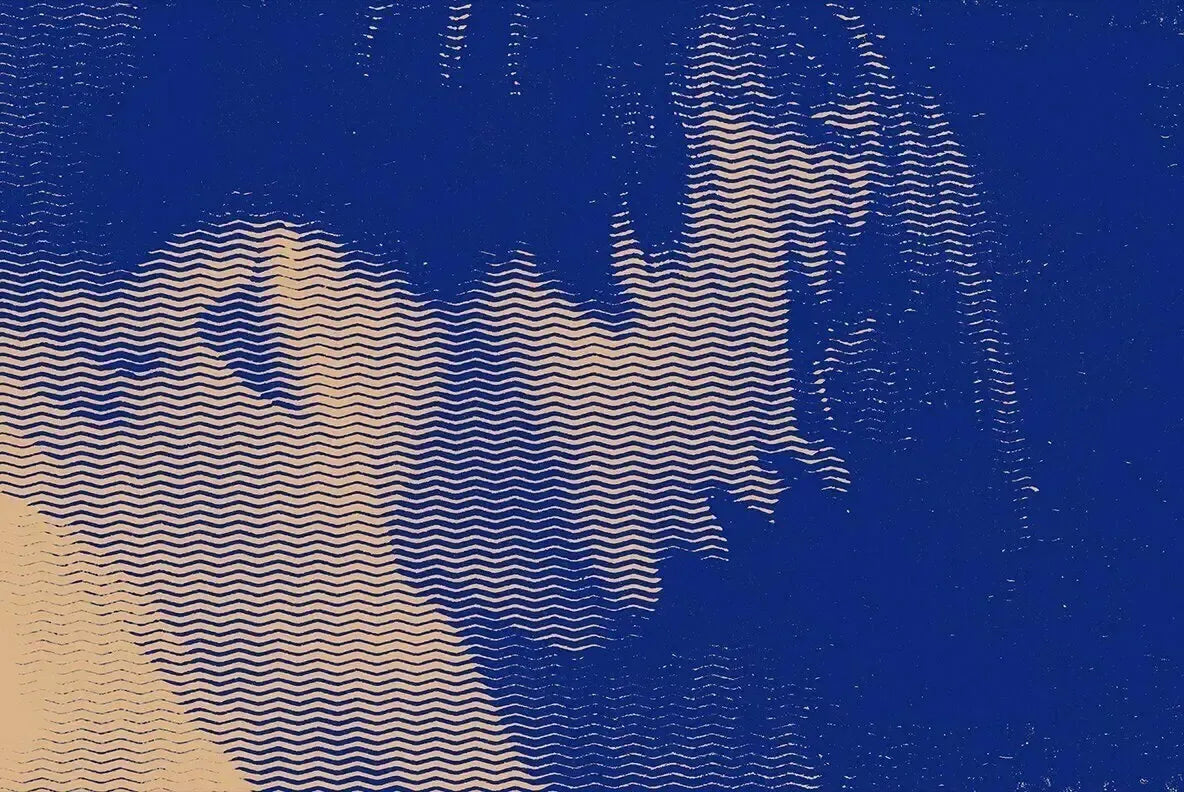
Halftoner is a clean, no-fuss halftone photo effect built around a single 4000x4000px PSD with five unique patterns including line, wave, and dot variations, plus twenty gradient maps and a paper texture. Pattern scale and colour are fully adjustable, and the whole thing is non-destructive, so your original image stays untouched regardless of what you do to the effect layer.
Halftone work has been consistent across editorial, print, and merch for decades, and it's not slowing down. The retro-press aesthetic is doing real work on vinyl packaging, risograph-style posters, and zine-adjacent social content right now. Halftoner gives you that toolkit without locking you into a single look. It works equally well on images and type, which keeps it genuinely versatile across project types. If you're into halftones, there's more where that came from. We've also put together a separate guide to grainy Photoshop effects if halftone isn't quite the grit you need. Once you've picked a pattern, the real craft is in what you layer on top of it, which is exactly what the halftone print workflow guide walks through step by step.
3. Smudged Gloomy Photoshop Kit by Pixelbuddha

Noir mood with technical precision. The Smudged Gloomy Kit comes as two 4000x4000px PSD files at 300dpi, a Photoshop action, and a gradient set, all working together to build a smudged, dust-and-grain atmosphere across your image. The standout feature is the editable blur control that lets you target specific areas of the canvas rather than applying a blanket effect across the whole thing. That kind of spatial control matters when you're working on book covers or posters where the composition has to stay readable.
The kit leans into horror and noir territory without being a one-use gimmick. Dust specks, craft paper texture, grainy smudges; it's the kind of photo effect that makes a press shot look like it was pulled from a damaged archive. Dark editorial, album art, and atmospheric poster work are where it earns its place. A video tutorial is included.
4. Chromy Text Effect by God Control

Heavy grain, dirty chrome, and a threshold-based workflow that turns your text into something that looks like it was ripped off a bootleg shirt from 1998. Chromy is a Smart Object PSD; open the layer, paste your text or image, save, and the effect applies automatically. Ten textures and six customisable gradients give you room to push the look in different directions, and a free threshold image generator PSD is bundled inside. Chromy is one way into bootleg metal, but there are eight other takes on the finish sorted by material and brief over in chrome text effects for streetwear.
At 3000x2000px and 300dpi, it's print-ready out of the box. The aesthetic sits squarely in the bootleg graphic and streetwear space that's been running hot across merch, album covers, and poster work for the past few years. If you want something that looks genuinely gritty rather than digitally approximated, this one earns it. Photoshop CC required.
5. CopyCat Photocopy Effect by MiksKS
A Photoshop action that actually earns the word meticulous. CopyCat replicates the worn-out photocopy look by pulling from elements sampled from real toner marks and grunge textures; not simulated, not algorithmically generated. The file set is extensive: 18 seamless patterns, 15 high-resolution photocopy textures, 4 toner patterns, 17 gradient map presets, 58 marker scribble brushes sampled from real specimens, 15 paper fold and crease textures, and 14 torn paper PNG accents.
Every run of the action generates a new non-destructive PSD, which means your original image stays clean and each output is slightly different. Intensity, texture, grit amount, print pattern, and image levels are all adjustable. The zine and DIY print aesthetic has been one of the more durable visual trends across the last few years, and CopyCat is the most complete Photoshop effect toolkit for working in that space. Photoshop CC only. There's more on how toner, scanner jams and dithering each produce their own distinct flavour of mess in our breakdown of the photocopier machines behind the look.
6. Drifter Motion Blur Effect by Divided.co

Drifter adds directional motion blur distortion to images via a Smart Object PSD at 4000x4000px. The workflow is a simple drop-in; open the Smart Object, place your image, and the effect applies across six colour options. It's built for press shots, album art, and posters where you want movement and energy baked into a static image rather than added in post through a dozen manual steps.
Motion blur as a design device has been consistent across music photography and editorial work for a while now, and Drifter gives you a fast, repeatable way to apply it without rebuilding the effect from scratch each time. Worth noting for Affinity users: the Smart Object PSD structure is compatible with Affinity Photo 2, so it works across both applications.
7. Refrakt by Studio 2am

Reeded glass as a design element has moved well beyond interior photography into editorial, advertising, and branding work. Refrakt is a glass distortion photo effect built around 12 unique patterned glass PSDs with adjustable distortion, scale, and detail controls that let you push the same base effect in significantly different directions. The result is the kind of refraction that reads as genuinely photographic rather than a filtered approximation.
The kit includes a custom mask action set (ATN file) alongside the PSDs and a how-to guide, which keeps masking workflow fast and clean. It suits a wide range of applications including editorial, posters, social content, advertising, and album art. Both the PSD files and the ATN are compatible with Affinity Photo 2, making this one of the more accessible options on this list for designers running both Photoshop and Affinity in their workflow.
If you're building out your effects toolkit beyond these seven, there are plenty more distortion effects worth digging through.