How to Install Photoshop Actions

How to Install Photoshop Actions

A quick and easy guide to installing Actions into Adobe Photoshop for Mac and PC

1. Open the Window Menu in Photoshop and then Choose Actions from the dropdown
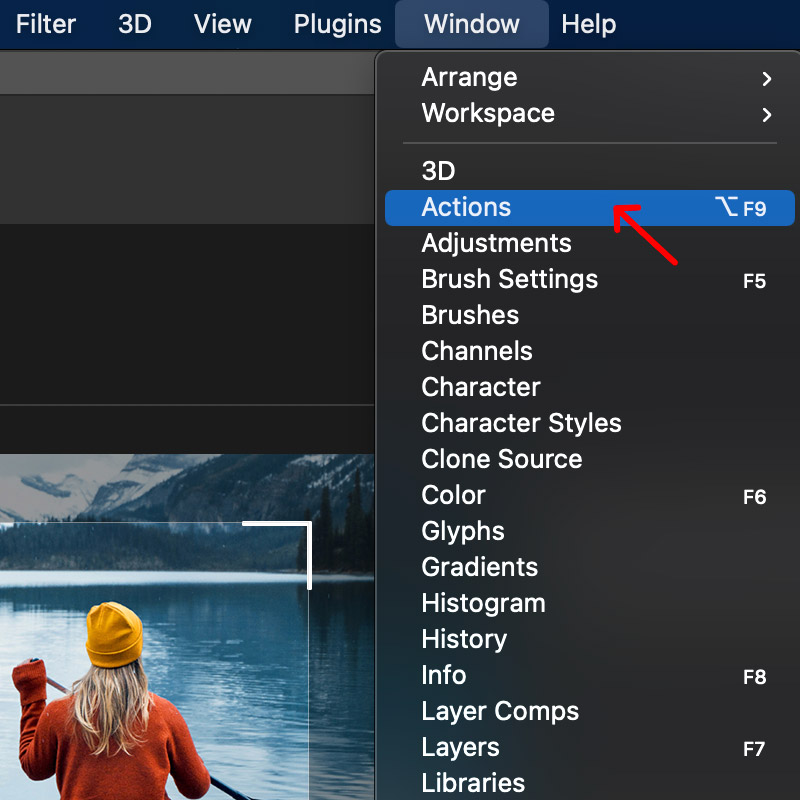
how to install photoshop actions

2. Click the menu icon on the top right of the Actions box
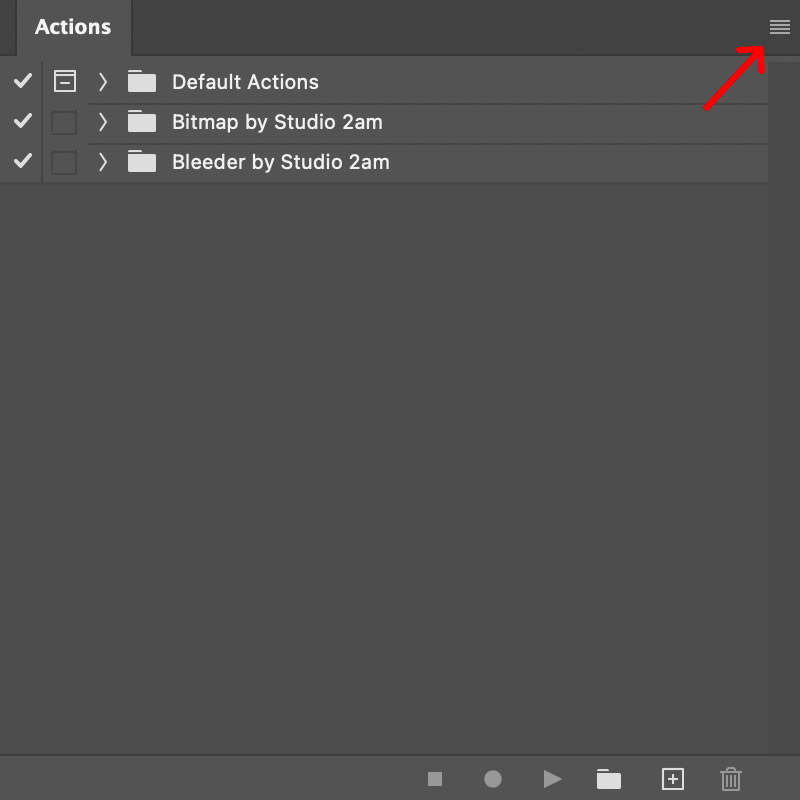
how to install photoshop actions

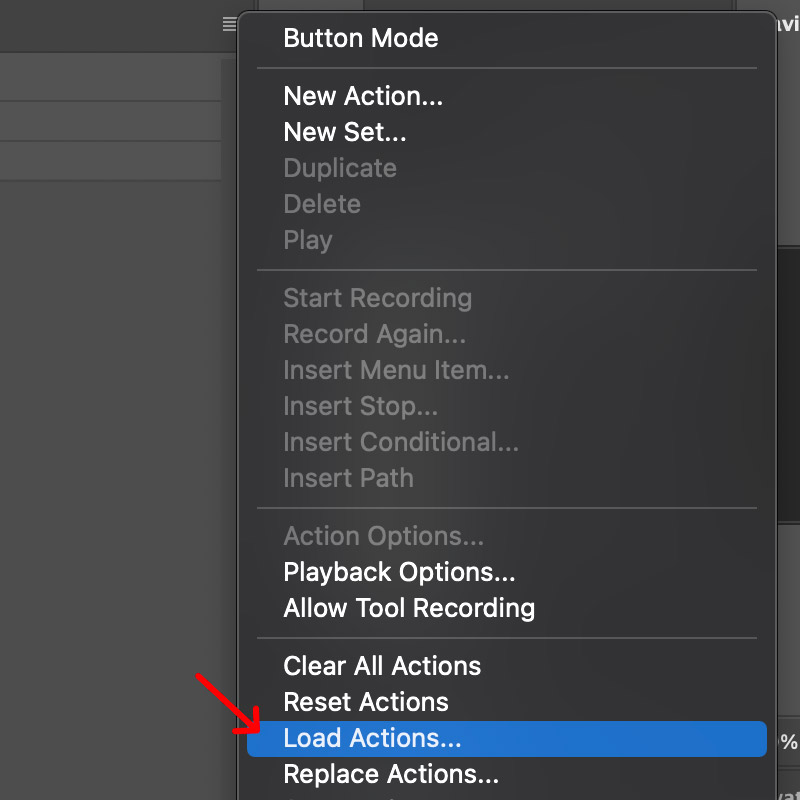
3. Select 'Load Actions...'

how to install photoshop actions

4. Find the .ATN file on your computer and then double click it
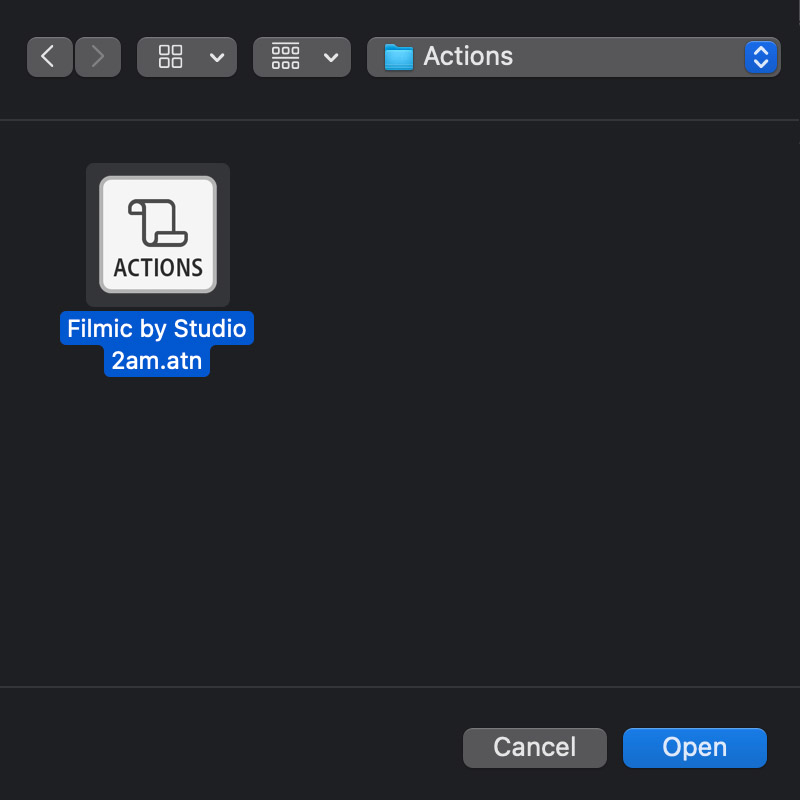
how to install photoshop actions

5. Click on the Action you'd like to use and then press the play icon. Done!
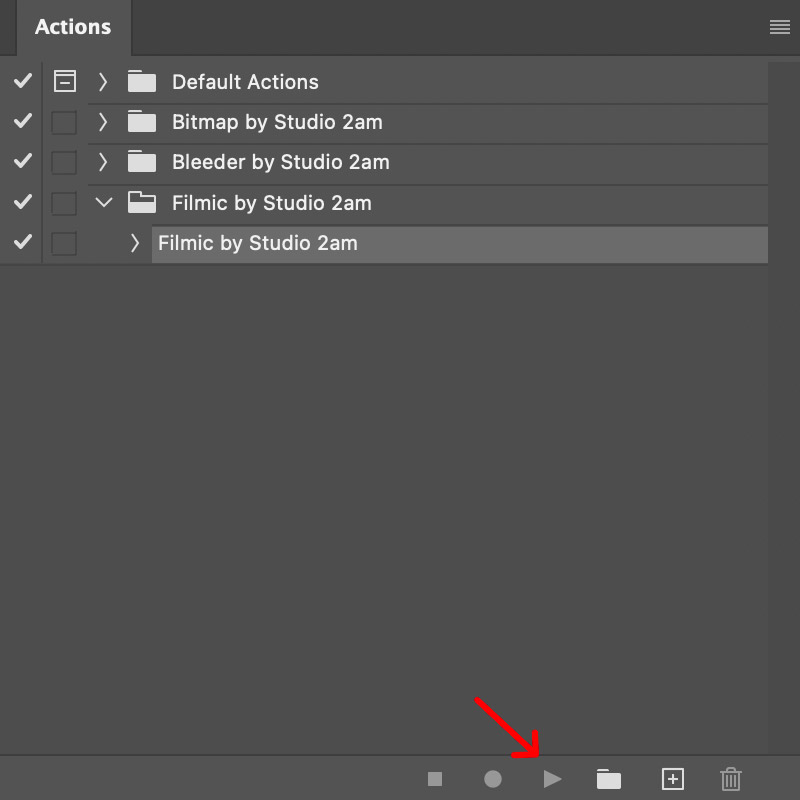
how to install photoshop actions


New This Week: Fresh Drops for June
Craft Supply Co

New This Week: Fresh Drops for June

Fresh weekly design drops: halftone photo effects, retro fonts, streetwear graphics & more. See what's new from top creators this June and grab your favorites.
The Brief Has Changed: How Mockups Are Replacing Photography for Small Brands
apparel mockups

The Brief Has Changed: How Mockups Are Replacing Photography for Small Brands

Small brands are ditching studio shoots for mockups—and the results are often better. Discover why this shift is reshaping design workflows. Read the full repor
Staff Picks: Effects Worth Keeping in Your Photoshop Setup
burn effect

Staff Picks: Effects Worth Keeping in Your Photoshop Setup

8 Photoshop effects our team uses on real projects. No filler—just tools that hold up. From halftone to glitch to stamp. See the full staff picks list.