



Backlit Plugin

Disrupted Studio
Description
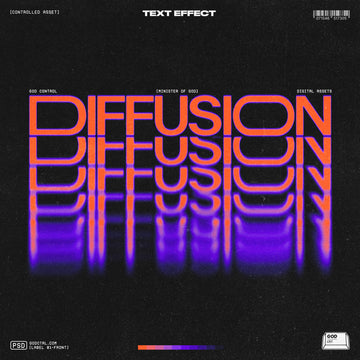
Cinematic backlight for Photoshop. A plugin that turns any layer into a backlit subject. Bloom, halation, god rays, fog, dust, rim, streak. One light picker. Live preview in the document itself, not a side panel. Output is a real layer you can move, mask, blend, and transform after the fact.
Includes
Bloom, halation, anamorphic streak, screen-space god rays, volumetric fog, volumetric dust, multi-layer rim with light wrap
Per-subject edge treatment: edge erosion, surface Fresnel wrap, veiling glare lift, thin-feature translucency
Bleed and Hotspot blowout zones with localized soft-edge dissolve at the silhouette
AgX tonemap with optional film grain
Single picker controls light position, direction, and color — drag to reposition the source live
Works on pixel, text, shape, smart object, and image layers
Specs
Photoshop 23.3+ (Mac and Windows)
One-time purchase
All v1.x updates included
AI Overview
The Backlit Plugin for Photoshop enables users to create cinematic backlighting effects on any layer, featuring options like bloom, halation, god rays, and volumetric fog. It includes a single light picker for real-time adjustments, supports various layer types, and outputs a real layer for further manipulation, compatible with Photoshop 23.3+ on both Mac and Windows.
What's Included
Compatibility

File Size: 306.9KB
Uploaded: August 12, 2026


Instant
Download

Premium
Quality

Lifetime
Support
 Frequently Asked Questions
We want you to be happy with your purchase! We do offer refunds for digital products if you experience a technical issue that our support team cannot resolve. Just reach out to us within 30 days of your purchase, and we'll be here to help.
After your purchase is complete, you'll receive a confirmation email with a link to download your files. You can also log into your account and access your downloads from the 'My Downloads' section.
Our products come with different licensing options that allow for many types of use cases. Our licenses page includes detailed information about the available licenses, so you can choose the one that fits your project. Click here to view licence details.