

Buy a loop clip from a stock site and you get the same eight seconds of drifting mesh gradient already riding behind a few thousand other Reels, graded the same way, moving at the same pace, with none of it decided by you. Feed a still into an AI autoloop tool and the system picks the motion, the direction and the speed; you upload a source and watch it render something that loops fine and looks like exactly what it is. Both paths hand the one interesting decision in the job to somebody, or something, else.
The work below builds the loop by hand from a still image asset you already own, so the pace and the palette and the direction are yours. Most of it comes down to one property that good pattern assets already carry, and knowing how to spend it.
The free loop hiding inside a tileable pattern
A true tileable pattern is edge-matched by construction. Its right edge lines up with its left edge, its top edge with its bottom, so you can lay copies of it end to end forever and never see a join. That property does something useful the moment you set it moving.
Pan the pattern horizontally across exactly one tile-width over whatever duration you want, and the final frame lands pixel-identical to the first frame on its own. No frame-matching, no fiddling at the loop point, no hunting for the reset. The tile boundary already matches the start, so when the offset reaches a full tile the composition is back where it began. You are exploiting a property the asset was already built with instead of constructing a loop point from nothing. In After Effects that is a single position keyframe set to the tile width with a linear ease; in Photoshop's timeline it is the same move on an offset layer.
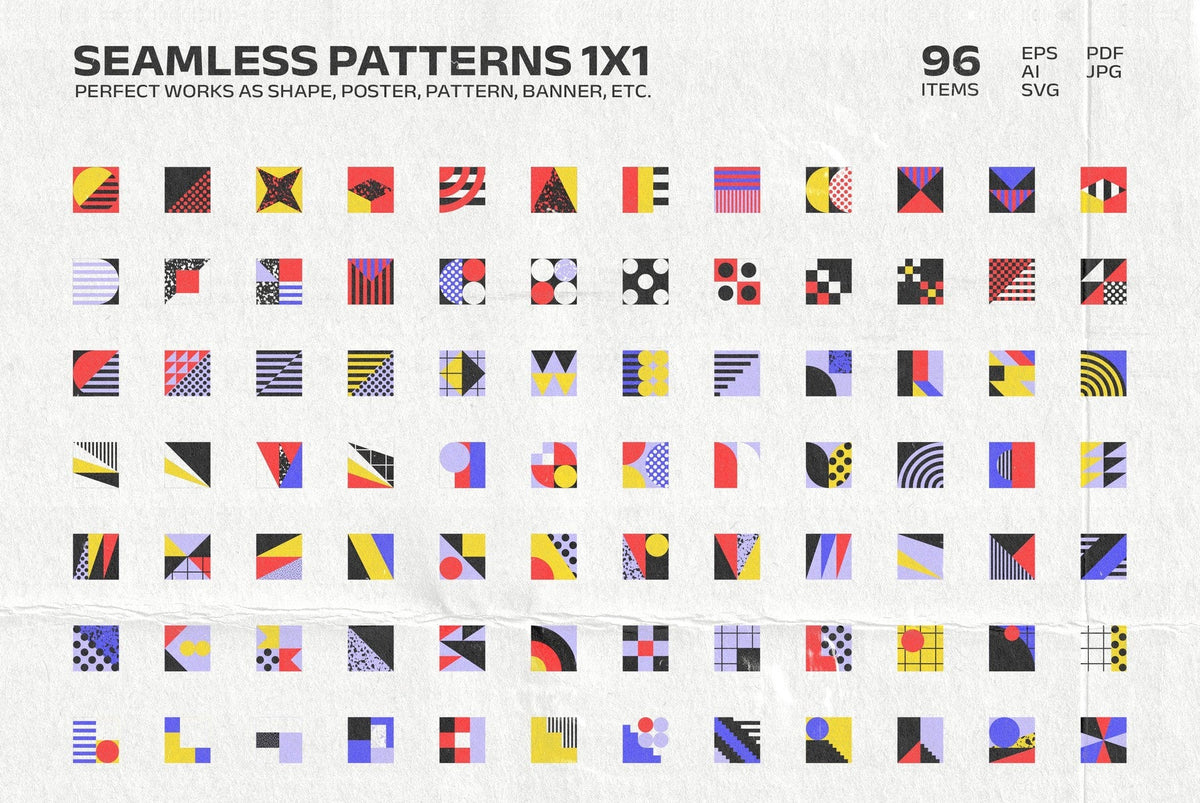
A rigid geometric tile is the most forgiving place to learn this. The repeat unit is a hard, obvious grid, which means it is easy to measure, easy to offset by one exact tile width, and easy to check by eye that the loop closes without a seam. 318 Shapes Patterns Posters Part 1 by Softulka is built for this, a stack of geometric vector shapes and tiles that repeat flawlessly, with that bold eighties-into-nineties graphic energy that reads cleanly even when it is moving. Being vector, you can scale the tile to whatever size your frame needs before you ever animate it, so the grid stays crisp at any offset.

For something with more depth in the tile itself, Gradient Geometric Mosaics by assetpro is a staff-selected set of 200 vector mosaics, patterns and shapes, with 20 true patterns among them delivered as PNG, SVG and AI, and high-res PNGs running to 4000x4000px on transparent backgrounds. The cool, graded mosaic surface gives you a tile where the motion carries colour as well as shape, and because the structure is still a measurable grid the one-tile-width pan stays honest. Shift the palette in Illustrator first, then animate, and the loop is both yours and clean.

Organic tiles want a gentler hand
A tile with no hard grid pans the same way, but it gives you less room to push. With a geometric repeat the eye accepts the grid recurring because a grid is supposed to recur. With organic shapes, a distinctive swirl or a clump of noise coming back around announces itself, and the viewer catches the repeat far sooner if you pan too far or too fast.
Flowtone Organic Seamless Patterns Collection by Vanzyst is where this bites, fifteen tileable PNG patterns of fluid watercolour swirls and noisy organic ornaments, each one 8000x8000px at 300dpi and built to repeat without a visible join. The surface is gorgeous and the shapes are legible, which is exactly why a lazy pan exposes them. Keep the pan distance short relative to the tile size so the memorable shapes never travel far enough to come back around in frame, or feather a short crossfade across the seam instead of trusting the raw cut, so the repeat never gets a chord to land on. The high resolution gives you plenty of tile to scroll inside before you reach the edge, which is the margin that keeps an organic loop from reading as a loop.

When the base was never built to repeat
Plenty of the assets you want to move are not tileable at all. A gradient composition or a texture pass built as a single still has no matching edges, so the one-tile-width trick has nothing to exploit. Here you construct the loop point yourself, and the logic is the one reel editors already use on footage: record the start and end movement in a single continuous take, split the clip at the middle, drop the opening section back on at the end, and match the motion across the splice so the join disappears. Applied to a still composition, you animate your move across the full length, cut at the midpoint, take the back half and layer it as a crossfade into the front half so the end dissolves toward a state close to the start.
The place this falls apart is the dissolve point. Lighting direction, shadow direction and colour grade all have to hold steady across it. A sudden shift in illumination between the frames that are supposed to meet reads as a flash at the loop, and that flash is the single most common tell of an amateur loop. Match the light and the grade specifically where the back half meets the front, and the reset stops being visible.
Chroma Gradient Shapes Collection by Pixelbuddha gives you soft gradient forms across six colour sets, the warm Amber and Blossom tones through the cooler Lilac and Marine ones, dreamy enough that a slow drifting move suits them. Because the shapes are soft and the transitions gentle, the crossfade has an easy job hiding the splice, as long as you keep the colour grade identical on both sides of it. Pick one of the six sets and the whole loop is keyed to a palette you chose, which no stock clip can claim. If you want more on keeping gradient work from looking machine-made, our piece on gradient backgrounds that don't read as AI-generated is worth a read alongside this.

If the loop needs grain and movement already baked into the surface, Grainy Vibrant Liquid Gradient Background Pack by Fakhroo is built with video backgrounds in mind, abstract chromatic liquid-flow gradients with smooth transitions and a grainy tooth to them. The grain is the thing to watch across your loop point, because static noise and animated noise part ways fast and visible drift between frames that should match is the other classic failure mode. Hold the grain treatment consistent across the crossfade and the liquid flow carries the motion while the texture stays put.

Parallax, or why one looping layer always looks robotic
A single looping element gives itself away because it has one rhythm, and the eye locks onto a rhythm quickly. The fix is to stack two or three looping assets at different offset speeds, even different directions, so no two of them repeat in sync. One pans slow, one pans fast, one sits still. A viewer who could have spotted a single element resetting loses the thread the moment three elements are looping at three different rates, because there is no shared beat left to catch.
Sensory by Ghost Who Walks is the asset you want on top of that stack, ten animated and ten still VHS-style textures and gradients at 4k, 3840x2160px, delivered as ten MP4 video files and ten PNG stills. The animated passes ride over your tileable or crossfaded base as an atmosphere layer, a flickering, already-textured motion pass set at its own independent offset so it never falls into step with the base loop. Because the flicker is irregular by nature, it is doing the anti-sync work for you. If you like the tape-era texture, our rundown of CRT effects built for broadcast work covers more of that surface.

How to tell the loop is done
The test is simple and unforgiving. Show it to someone and ask them to point at the frame where it resets. If they can find it, the loop is not finished. A clean loop has no frame a viewer can name as the seam, because the start and end are identical or close enough that nothing flashes, nothing drifts, and no element snaps back on a beat.
Build it inside the 9:16 vertical frame that Reels and TikTok run on. That shape decides how much of a tileable pattern is visible at once, which decides how large your offset has to be to register as motion at all on a phone held at arm's length. Too small a pan on a tall narrow frame and the thing looks frozen; size the offset to the frame, not to the full tile. There are plenty more tiles worth digging through once you know what to look for in one, and more textures to work with if gradients and grain are your thing.
A loop built this way is a different kind of object from a stock clip or an autoloop render. It carries a set of choices someone made on purpose: this palette, this pattern, this pace, this direction. An identical loop sitting behind a thousand other feeds can't carry that, and a render that picked its own motion never had it to begin with. The provenance is the point, and it is the one thing the shortcuts can't fake.