
There's a difference between brushes that give you options and brushes that give you a voice. Most packs fall into the first category: technically fine, immediately forgettable, gone from your library in a week. The eight packs below are the second kind. They each unlock something specific, whether that's a rendering technique, a visual era, or a texture language that you'd otherwise spend hours faking. Here's what they are, what they're actually good for, and who should care.
Cursed Illustrator Brushes by MiksKS

Over 200 seamless pattern brushes for Illustrator, built around gothic architecture, dark fantasy, and neo-tribal ornamentation. MiksKS has engineered these with a 5-segment construction that keeps corners clean and continuous, which is the thing that kills most pattern brushes the moment a path changes direction. That technical detail matters more than it sounds: you can run these along any shape and the ornamental logic holds. No frankensteined corners, no awkward scaling.
The pack covers a serious amount of ground aesthetically, from cathedral-arch filigree to the kind of dense, interlocking sigil work that's been all over tattoo design and alternative branding for the past few years. There are 17 premade frame compositions included, which makes this genuinely useful for album art, poster work, and editorial illustration where the decorative border does real compositional lifting. The PDF manual is a good sign too. When a creator includes documentation, it usually means the system is complex enough to warrant it and that they've thought about how the thing actually gets used. If gothic maximalism is part of your visual language, this one is hard to argue with.
Animal Fur Procreate Kit by Digi Life

The thing that separates this kit from the generic texture brushes that claim to do fur is the underlying technique it's built around. Digi Life has oriented these 25 brushes toward rendering the shadows between hairs rather than the hairs themselves. That's the difference between fur that reads as a pattern and fur that reads as form. If you've spent time doing realistic animal illustration, you already know that the depth lives in the negative space, and having brushes calibrated to that logic saves a significant amount of problem-solving.
Beyond the brushes, the kit comes with 660 colour swatches and 10 paper texture backgrounds at 6000x6000px. The swatch set is substantial enough to cover the full tonal range you'd need for coat variations across species, which is useful if you're working on editorial, book cover, or naturalistic illustration work where colour accuracy matters. This is a serious illustrator's tool, not a novelty pack. If you're deep into Procreate illustration, there's more worth looking at.
Jack Kirby's Procreate Kit by Digi Life

Kirby's mark-making was inseparable from his storytelling: the cosmic dots, the thick ink lines, the explosive energy in every composition. This kit doesn't just borrow his aesthetic, it uses his Marvel-era palette and mark-making vocabulary as the design brief. Digi Life has packed 25 Procreate brushes across ink, watercolour, streamlined, comic dot, and 3D brush categories, with 600 colour swatches drawn from that mid-century four-colour print sensibility.
What makes this more than a nostalgia exercise is how well the approach transfers to contemporary work. The retro comic aesthetic has been running through everything from DTC brand identities to indie editorial illustration for a few years now, and having brushes with that kind of authentic visual DNA, rather than a smoothed-out digital imitation, is where this pack earns its place. The comic dot brushes alone are worth it if you're doing halftone-adjacent work without wanting to fake it in post. And the 3D brushes add a dimensional quality to linework that's hard to get any other way in Procreate.
Multi-App Liner Brushes by Pixelbuddha

Most brush packs make you choose your app and live with it. This one doesn't. Pixelbuddha has built out 72 brushes for Illustrator, 56 for Procreate, and 72 for Affinity, all in the same pack. The liner set covers ink, pat, and dot brushes, plus 20 seamless patterns, and there's a CS6 version included for anyone still running older software in production. That cross-app reach is rare and genuinely useful if your workflow moves between desktop and tablet, or if you're handing files to collaborators who aren't all on the same tools.
The aesthetic is hand-drawn and organic with a vintage edge, the kind of linework that reads as deliberate and crafted rather than digitally generated. That quality of line is increasingly important in branding and illustration work where the goal is tactile warmth rather than precision-engineered cleanliness. Ink brushes with this level of authentic variation are harder to fake than most people realise, and having a consistent set that behaves the same way across apps removes a lot of friction from the process.
Multi-App Stipple Brushes by Pixelbuddha

Eight stippling brushes in varying dot sizes and densities, built for Photoshop, Illustrator, Procreate, and Affinity. The cross-app compatibility is the same story as the liner set, but the use case here is more specific and the aesthetic more distinctive. Stippling as a shading technique has a long history in botanical illustration and scientific drawing, and it's been finding its way back into contemporary work through tattoo design, vintage-revival logos, and the kind of detailed merch illustration that performs well on darker garments.
The density variation in this pack is what gives it real range. You can work from light atmospheric dot work up to dense shadow areas within a single piece without switching tools, which is how stippling is supposed to function. If your work touches riso-adjacent aesthetics, engraving-style portraiture, or anything that benefits from a grain that reads as hand-applied rather than digitally generated, this is a toolkit worth keeping. There's a broader range of brushes worth exploring if stippling is just the start.
Sprayed Paint Photoshop Brushes by Tim Hankins Design

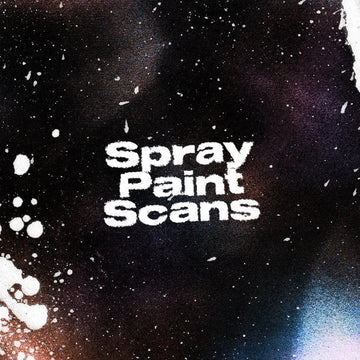
Tim Hankins went to the source here: these are hi-res scans of actual spray paint, not digitally simulated approximations. That distinction shows up immediately in how the brushes behave. Real spray paint has a physical logic to it, the way pressure affects spread, the way drips form, the specific quality of a smooth line versus an overspray edge. Scanned brushes carry that logic into Photoshop in a way that synthetic spray brushes almost never do.
The pack covers a full range of shapes, sizes, and spray patterns including drips, splatters, and smooth lines. That versatility means it works across poster design, album art, streetwear graphics, and anywhere the aesthetic asks for texture that reads as physical rather than rendered. The graffiti and stencil applications are obvious, but this is also genuinely useful for adding raw edge to compositions that would otherwise feel too clean. For Photoshop users doing any kind of urban or streetwear-adjacent work, scanned spray brushes at this quality level are the kind of thing you keep in your toolkit for years.
T-shirt Textures for Procreate by cd-design.co

Fifteen distressed stamp textures in brushset format, built specifically for the T-shirt design workflow in Procreate. Grunge, cracked, and weathered effects, all the texture language that separates a vintage-looking print from one that just looks like it was made in Procreate. The difference between merch that sells and merch that gets ignored often comes down to how convincingly the design reads as something with history, and these textures do that work efficiently.
The stamp format is smart for this use case. You're not painting texture on, you're stamping it, which gives you control over placement and intensity without committing to a single application method. For freelancers doing merch work or anyone building T-shirt graphics for DTC brands, having a Procreate-native distress texture pack at this level of specificity saves a lot of time that would otherwise go into sourcing, scanning, and cleaning up physical references.
T-shirt Textures for Affinity by cd-design.co

The same 15 distressed stamp textures from cd-design.co, this time packaged as afbrushes files for Affinity Designer 2 and Affinity by Canva. As Affinity's user base has grown, particularly among designers who've shifted away from the Adobe subscription model, the ecosystem of quality native-format brushes has been slow to catch up. A pack like this fills a real gap. Same grunge, cracked, and weathered effects, same stamp-based application logic, just built for the tools you're actually working in if Affinity is your primary environment.
The fact that cd-design.co has released both versions as separate packs means you're getting format-specific files rather than a converted workaround, which matters for how the brushes behave at the edges. If your T-shirt design workflow runs through Affinity, this is the version to grab. The two packs together cover both major tablet and desktop environments outside of Adobe, which is increasingly where a lot of independent merch and streetwear design work is happening.