Clean is cheap now. With AI-generated imagery flooding every brief, every mood board, every speculative brand deck, the polished render has lost most of its signal value. When anything can look pristine with a text prompt, pristine stops meaning anything.
What reads as intentional in 2025 is wear. Grain. Ink that bleeds at the edges. Halftone dots that don't quite register. The photocopy that's been through the machine one too many times. These aren't accidents and they don't look like accidents. They look like someone made a decision, which is exactly the point.
The seven tools below are the ones worth having in your kit right now. Poster work, album art, merch, brand identities for bands and streetwear labels, this is what the work actually calls for.
Chaos Procreate Brushes by MiksKS

This is the top trending product in our catalogue right now, and if you've been paying attention to music artist branding, tattoo-adjacent merch, and gaming visual identity over the past year, you already know why. MiksKS has built a 113-brush Procreate set specifically around neo-tribal aesthetics and cybersigilism, one of the more specific micro-trends in illustration right now: intricate, symmetrical ink sigil work that sits somewhere between gothic lettering, occult design, and dark fantasy. It's become a dominant visual language in merch, album art, and music branding, and this is one of the only dedicated toolkits for it. The brushes are organised across categories including gothic lettering and hand-drawn mark-making, so you're not hunting through unrelated tools to find what you need. If you're doing logo work or apparel design for anything that lives in that darker, more ornate end of the visual spectrum, there's a lot more in this space worth looking at, but this set is the one to start with.
VHS Tape Text & Logo Effect by Pixelbuddha

Four distinct effect styles, all delivered through smart objects in a PSD, all built around the specific quality of degradation you get from magnetic tape that's been dubbed too many times. The horizontal tracking errors, the signal bleed, the way colour information starts to separate and drift. Pixelbuddha has nailed the specificity here; this doesn't look like a generic glitch filter, it looks like a particular kind of analogue failure. The sweet spot for this one is logotype work and title treatments where you want that high-contrast, slightly-unstable energy without it reading as gimmicky. Strong choice for brand presentations, event graphics, and anything targeting a late-night, music-adjacent audience.
Distortion Halftone Text & Graphic Effect by Pixelbuddha

Halftone has been having a serious run, and this PSD effect is one of the better executions of it currently available. The distortion layer is what separates it from a straight halftone treatment; the dot pattern warps and smears in a way that reads closer to a misregistered risograph print than a clean digital simulation. Four colour options give you enough flexibility to adapt it across different project contexts without rebuilding from scratch. Works well on poster work, album art, and brand identities where you want something that feels printed rather than rendered. If you're into this territory, there's plenty more halftone work worth digging through.
Broken Screen Glitch Effect by Divided.co

Where the VHS effect is about signal degradation, this one is about physical failure. Divided.co's Broken Screen effect simulates the specific visual chaos of a display that's taken damage: scan lines, colour displacement, the geometric fragmentation you get when LCD panels start to go. It's a PSD with smart object placement, so the actual workflow is fast, drop your image in and the effect does the heavy lifting. The use case is narrow but it's clear; press shots, gig posters, CD and digital release artwork, anything that needs to project that unsettled, high-stakes digital energy. Particularly effective when the source image has strong contrast to begin with.
All-App Inktober Brushes by Pixelbuddha

Most brush packs make you choose your platform. This one doesn't. The All-App Inktober set works across Photoshop, Illustrator, Procreate, and Affinity Designer, which is a genuine differentiator when most comparable packs are Procreate-only. You get eight ink brushes and three stamp brushes, kept tight and purposeful rather than padded out. The ink behaviour is organic without being unpredictable; these are tools that respond like real media but don't fight you. Good for editorial illustration, poster lettering, and any print-adjacent work where the hand-drawn quality needs to hold up at large scale.
Photocopy Machine Photoshop Action by God Control
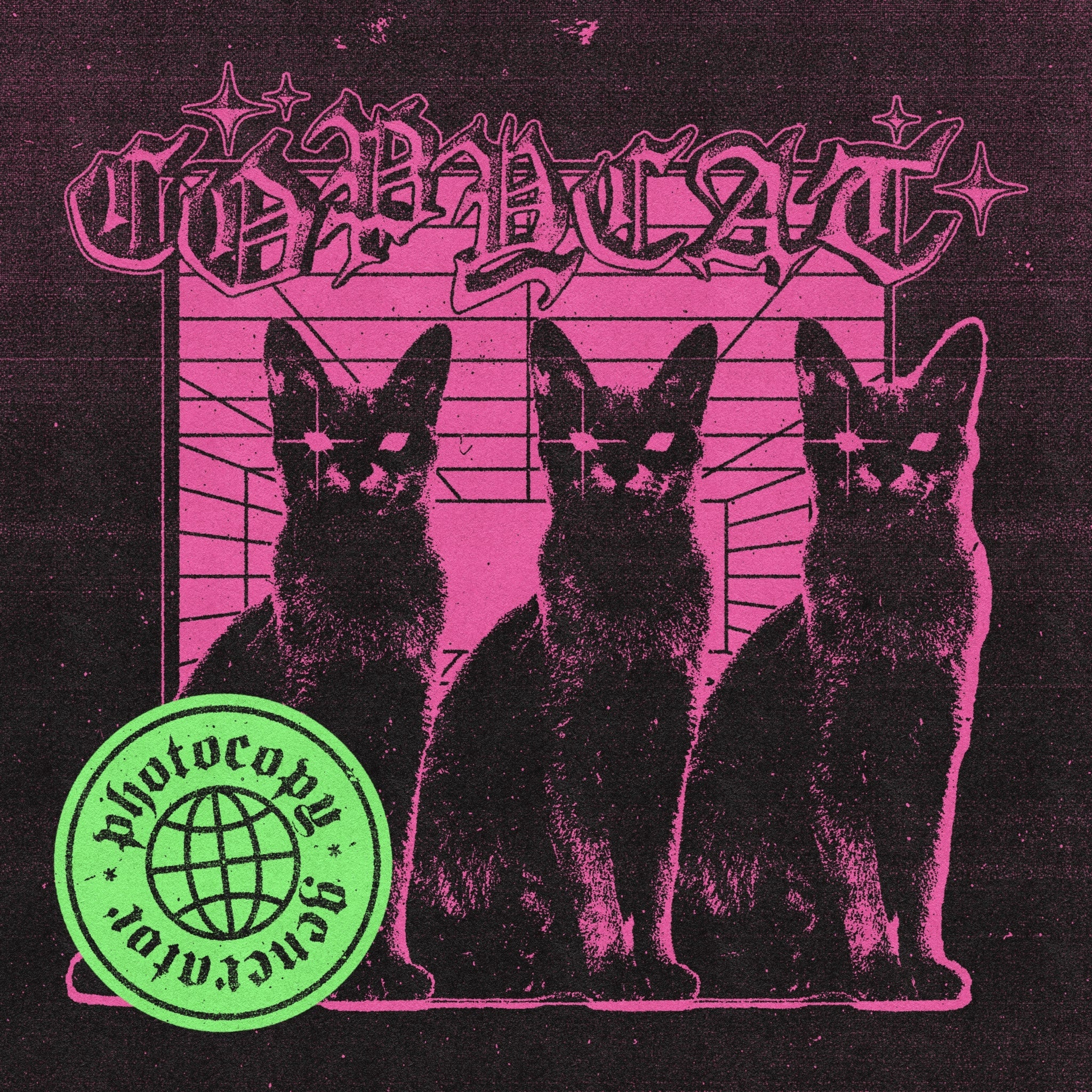
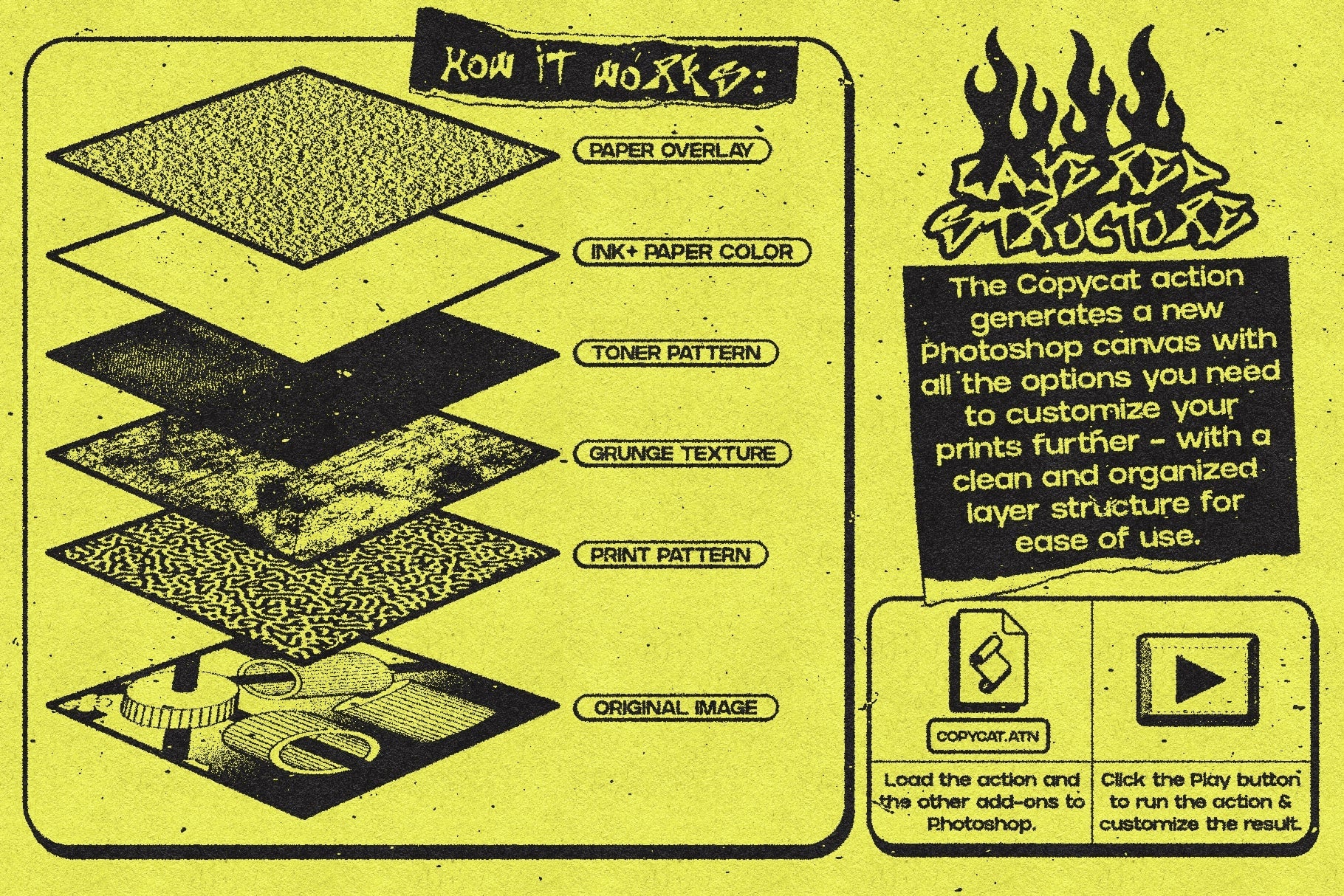
Eight actions, each mimicking a different stage or style of photocopied output. From the slightly-too-light first pass to the blown-out, toner-heavy version that starts to lose its midtones. This is a very specific aesthetic and God Control has treated it with the appropriate specificity. Zine culture, punk-adjacent branding, streetwear graphics, this is the tool for any project that needs to look like it came out of a copy shop at midnight. The built-in tutorials are worth noting too; this isn't a set-and-forget action, it's a hands-on effect with real variation depending on how you work it, and the documentation reflects that.
Aura Text Effect by Divided.co

Divided.co's Aura is doing something slightly different from the rest of this list. Rather than noise or physical wear, it's working with distortion and light bleed; the kind of smeared, atmospheric treatment that makes type feel like it's being transmitted through something unstable. Drop your logo or headline into the smart object and the pre-built effect handles the rest. The result is moody and dramatic without being chaotic, which makes it more versatile than it might first appear. Strong for poster work and album art, particularly anything that needs to sit in that space between digital and organic without committing fully to either.