


Shake a spray can and let it spit across a wall and it never lands evenly. There's overspray where you didn't want it, a drip at the edge of a heavy pass, a dry patch where the nozzle stuttered. Tear a sheet of paper and the fibres decide the edge for you, and no two rips ever match. Those little failures of control are exactly what your eye reads as real. A flat, obedient digital stroke sitting next to a genuinely torn edge gives itself away in half a second, because the clean one is too well behaved to be a physical thing.
Most of what turns up under "photoshop brush pack" is chasing a smooth, generatable version of that mess. A gradient with a bit of noise stapled on top and called grain. A spray effect that puffs out in a tidy radial cloud like it was drawn with a formula, because it was. The packs worth owning start somewhere else: real paint, real paper, real ink, scanned at high resolution so the imperfections come along for the ride. And there's a second thing the aggregator lists never mention, which is that a lot of us now bounce between Photoshop and Affinity depending on the job, the budget, and who's paying. Affinity ships with a much thinner set of built-in brushes than Photoshop does, so a good third-party pack pulls more weight there, and a set that carries across both apps is a bigger asset than a single-app freebie ever is.
Here are six that hold up once you're painting with them, brush loaded and moving across the canvas.
All-App Gouache Brushes by Pixelbuddha
Gouache has a specific behaviour: it sits opaque and matte, and where two loaded strokes overlap you get a soft, chalky build instead of a glassy blend. Pixelbuddha built these twelve brushes off real paint smudges and strokes, so the softness reads as pigment settling into the paper, the kind of build you get from paint drying unevenly on a physical surface. There's a canvas-and-paper texture bundled in at 3000x2000px and 300dpi, which is what stops the whole thing from floating on a dead white background. Reach for this on serene editorial illustration, muted social sets, or any print piece where you want the calm of a matte painting without hauling out real paint. It runs in Photoshop, Procreate, and Affinity Designer across both vector and raster, so it travels between your iPad and your desktop setup without a fuss.

Multi-App Texture Brushes by Pixelbuddha
Modern folk illustration lives or dies on grain. Get it right and flat shapes feel printed and warm; get it wrong and everything looks like a vector template someone forgot to finish. These twelve brushes carry visible grain and hand-drawn wobble, tuned for that earthy, mid-century-leaning palette where warm ochres and muted greens sit together like they've faded in the sun. Use them to rough up watercolour, acrylic, gouache, or linocut-style work, and they earn their keep on book covers, packaging, editorial spreads, decorative prints, and stationery. Compatibility is broad here: Photoshop, Illustrator, Procreate, Clip Studio, and Affinity Designer in vector and raster. If you're the kind of designer who keeps a texture layer on almost everything, there are plenty more textures to dig through.

Multi-App Stipple Brushes Studio by Pixelbuddha
"Eclectica" leans on Pop Art and a mid-1970s mood, all bold energy and that dotted, half-printed shading you associate with old ad illustration. The set runs to 27 brushes split across three jobs: stroke, stipple, and shader. Stipple work is one of those things that looks trivial until you try to fake it by hand and end up with a mechanical dot grid, so having brushes that scatter with some life in them saves real hours. It's built for illustration, posters, logos, editorials, and ad work that wants a distinctive textured feel, the kind of thing that stands out after years of the same flat gradient defaults. Works in Photoshop, Illustrator (CS6 and CC), Affinity Designer in pixel and vector, and Procreate.

Sprayed Paint Photoshop Brushes by Tim Hankins Design
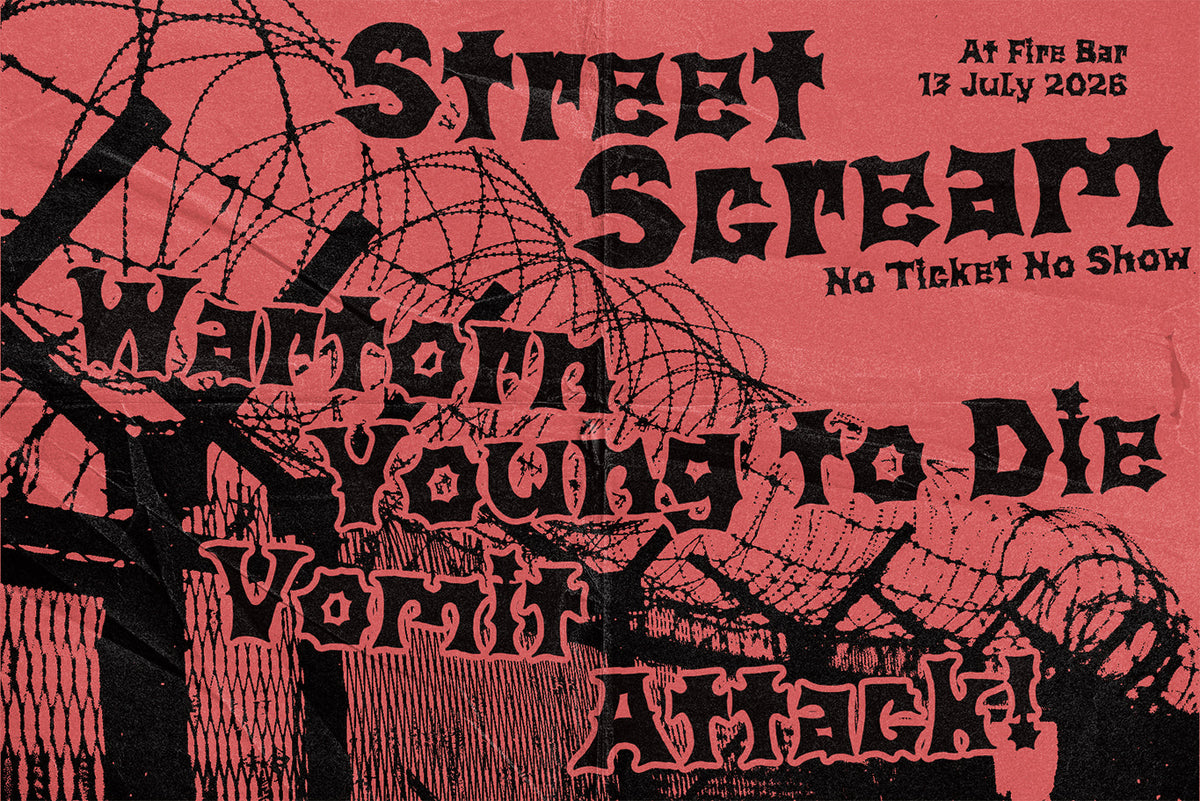
Every simulated spray brush has the same tell: the spray is too even, too symmetrical, like it was fired from a machine instead of a shaken can held at a bad angle. Tim Hankins built this set from hi-res scans of real spray paint, so the flow, the overspray, and the way the edges fall off all behave like the physical thing. You get a spread of shapes and patterns to work with, from drips and splatters to smooth passes and crisp stencilled edges. This is the one to grab for streetwear graphics, gig posters, urban-influenced layouts, and anything that needs rough energy dragged across it. It's a Photoshop-only set, so keep it in your PSD workflow.

Torn Paper Photoshop Brushes by Tim Hankins Design
Collage is having another moment, and the reason so much of it looks cheap is that the "torn" edges are drawn with a jagged vector path that repeats itself the second you use it twice. Scanning solves that. This set comes from hi-res scans of real torn scraps and gives you 18 different edges plus textures, folds, and stamps for distressing, ranging from hard jagged rips to soft fibery tears that catch the light. Drop these into poster work, editorial layouts, collage compositions, or branding that wants a made-by-hand roughness. Like the spray set, it's built for Photoshop. If distressing is your thing, our roundup of Photoshop effects that make digital work look like it came off a press is worth a read too.

T-shirt Textures for Affinity by cd-design.co
Apparel printing eats detail alive. Fine gradients clog, thin lines drop out, and a graphic that looked crisp on screen turns to mud on a garment, which is why worn and distressed looks have carried streetwear and merch for years. cd-design.co made these fifteen distressed stamp textures specifically for that world, each one landing a grunge, cracked, or weathered effect for vintage and worn apparel. Because they come as afbrushes and abr files for Affinity Designer 2 and Affinity by Canva, they fill a real gap: Affinity's built-in brush set is lean, so a purpose-built pack like this carries more weight there than one more freebie would for a Photoshop user. Ideal for merch drops, streetwear print, and any garment graphic that needs to look like it's already survived a hundred washes.

The point of all that mess
A brush pack is only as good as the roughness it brought with it from the physical world. The spray that spits unevenly, the tear that refuses to repeat, the pigment that builds instead of blends: your audience clocks that as real without knowing why. Chasing a smoother, cleaner version of those effects drags you back to the flat look everyone's spending their brushes trying to escape. Source the real material, keep the imperfections, and let the file do the work you'd otherwise fake by hand. If cross-app illustration tools are on your mind, we've also looked at where Procreate brushes are heading.