

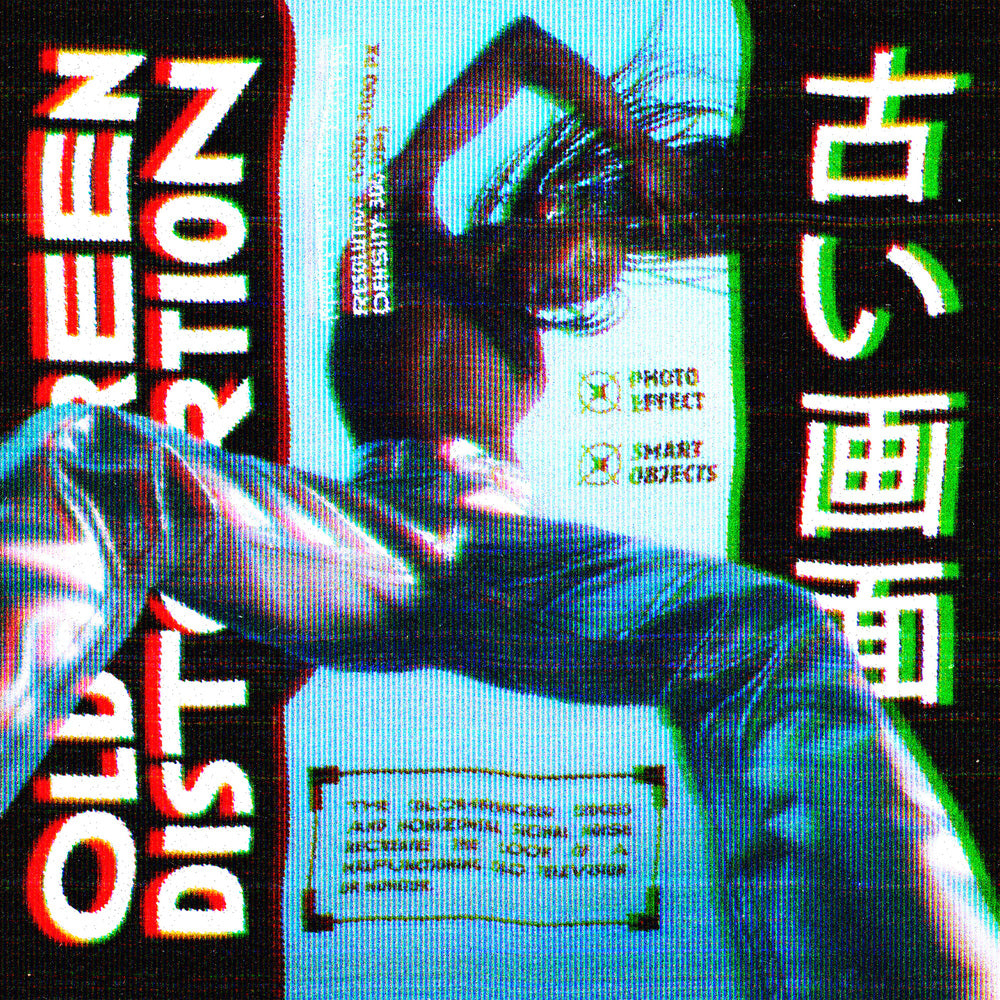

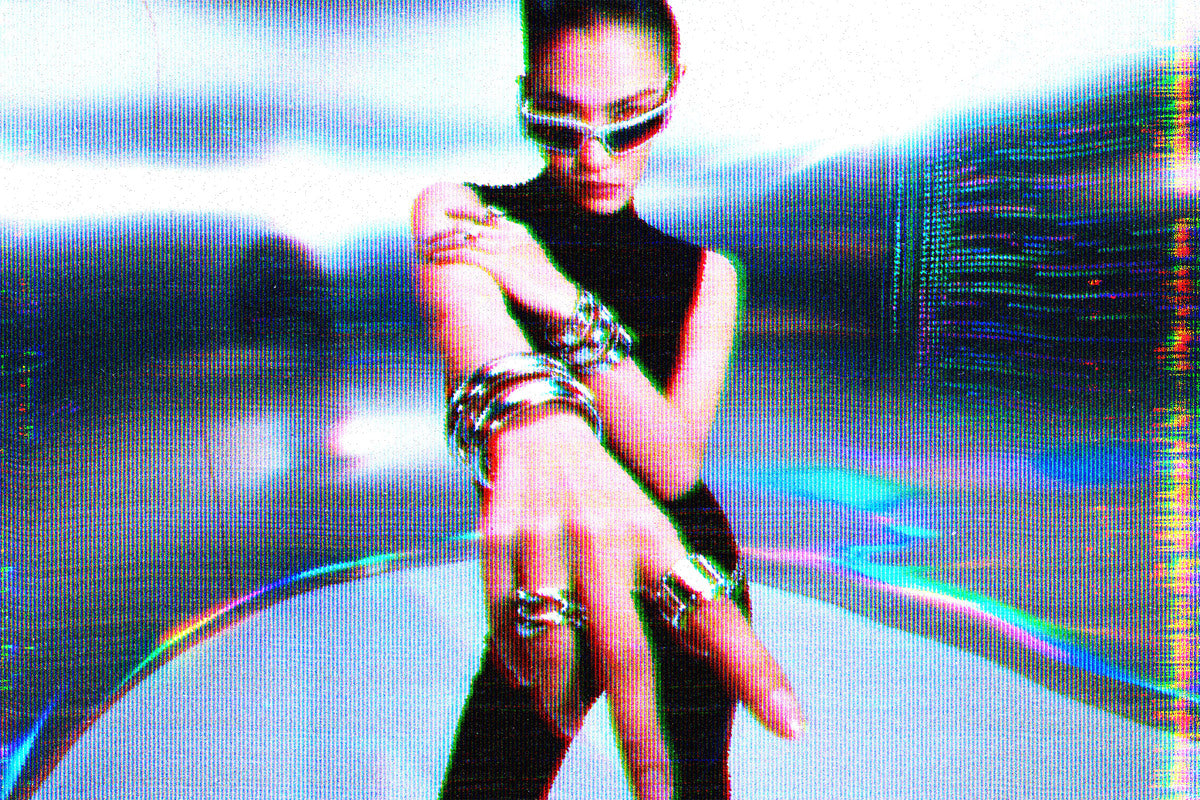
Old Screen Distortion Photo Effect

Pixelbuddha
Description
The photo gets behind the glass of a dying television — horizontal scanlines crawl across the frame, the color fringes into red, green, and blue at every edge, and bands of signal noise tear through the picture. Bright areas bloom and smear the way an overdriven tube does.
Usage: album covers, music videos, cyberpunk key art, gig posters, streetwear graphics, game and streaming overlays, zine spreads, and title cards.
Details:
high-quality PSD file;
4500x3000 px, 300 dpi.
This resource is created for Adobe Photoshop and works best with the latest Creative Cloud version for full Smart Object support.
AI Overview
The Old Screen Distortion Photo Effect is a Photoshop PSD file that applies horizontal scanlines, RGB color fringing, signal noise bands, and bloom/smear effects on bright areas to simulate a CRT screen. The file is 4500x3000 px at 300 dpi and uses Smart Objects, requiring the latest Creative Cloud version for full compatibility.
What's Included
Compatibility

File Size: 141.8MB
DPI: 300
Dimensions: 4500x3000px
Uploaded: September 27, 2026


Instant
Download

Premium
Quality

Lifetime
Support
 Frequently Asked Questions
Our products come with guarantees under the Australian Consumer Law. If a file is faulty or isn't as described, you're entitled to a fix, a replacement or a refund. We don't refund a change of mind. Bought a bigger size than you need, or Extended when Standard would do? Within 14 days, we'll swap it and refund the difference. Read our refund policy.
After your purchase is complete, you'll receive a confirmation email with a link to download your files. You can also log into your account and access your downloads from the 'My Downloads' section.
Every product comes with the Studio 2am License. Choose Standard or Extended, and the size of your business. Which license do I need?