Light Stripes - Hi-Res Light Scans
Sale price$19

Light Stripes - Hi-Res Light Scans

Sparrow

Sparrow

$19

Description

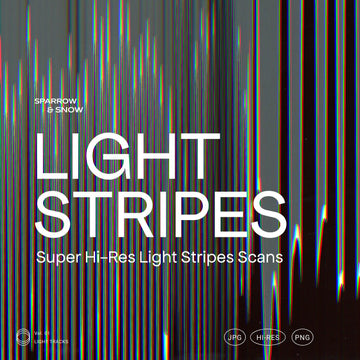
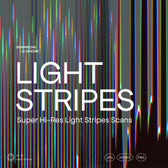
Light Stripes - Super Hi-Res Light Stripes Scans is a collection of textures that can be used in any possible way to make your projects look sleek and interesting.
The scans are great as backgrounds and used as overlay on photos with Photoshop blend modes.
The package include a version in transparent PNG format of 65 textures, ready to be used as overlays also in Canva.

What's inside:

  • 44 Textures Hi-Res in different resolutions
  • 65 Hi-Res Transparent PNG Textures

Note:
By downloading the zip you will find a pdf that contains a link for the direct download of the product (File Size: 1GB)

AI Overview

? Note: AI Overview is currently in BETA. This information may be inaccurate. Check the full product description above for more information.

Light Stripes - Hi-Res Light Scans is a collection of 44 high-resolution textures and 65 transparent PNG textures. These scans can be used as backgrounds or overlays in various design programs including Photoshop, Illustrator, After Effects, Lightroom, and Canva. The product is downloadable via a direct link in a PDF contained in a zip file.

What's Included

    Compatibility

    • Photoshop
    • Illustrator
    • After Effects
    • Affinity Designer
    • Affinity Photo
    • InDesign
    • Sketch
    • Procreate
    • Figma
    • Canva

    File Size: 892.7MB

    DPI: 300

    Dimensions: 3000x2000px

    Uploaded: September 26, 2024

    Tags

    • abstract
    • analog
    • background texture
    • bad
    • black
    • black paper textures
    • black photocopy textures
    • blending
    • bold
    • broken
    • canva
    • copier
    • copy
    • damaged
    • dirt
    • distortion
    • distressed
    • dust
    • effect photoshop
    • error
    • Show more ↓
    ★ ★ ★ ★ ★
    Trusted by over 150,000+ creatives, and rated 4.7★ from 850+ verified reviews. Explore why we're a top choice with designers worldwide! → See full reviews
    Instant Download Icon

    Instant
    Download

    Premium Quality Icon

    Premium
    Quality

    Lifetime Support Icon

    Lifetime
    Support

    FAQs Icon Frequently Asked Questions

    What is your refund policy? ▾

    Our products come with guarantees under the Australian Consumer Law. If a file is faulty or isn't as described, you're entitled to a fix, a replacement or a refund. We don't refund a change of mind. Read our refund policy.

    How do I access my downloads? ▾

    After your purchase is complete, you'll receive a confirmation email with a link to download your files. You can also log into your account and access your downloads from the 'My Downloads' section.

    What are the different licenses? ▾

    Our products come with different licensing options that allow for many types of use cases. Our licenses page includes detailed information about the available licenses, so you can choose the one that fits your project. Click here to view licence details.

    → Visit our support hub

    We are a creative team that combines artistry and innovation to create holistic design solutions that enhance your brand

    Staff Select
    Liquorice Newsletter Templates Liquorice Newsletter Templates
    Charts and Graphs Social Kit Charts and Graphs Social Kit
    Staff Select
    Dry Flowers & Leaves Bundle Dry Flowers & Leaves Bundle
    Staff Select
    Olena - Device Mock-ups Olena - Device Mock-ups
    Modulate

    Make louder visuals.

    A real-time effects editor.
    Layer, animate, and export in your browser.

    Open the editor